Online String Art Generator & Design Software
ALINEDECO turns photos into string art patterns and nail-to-nail winding sequences directly in a web browser. It is an automatic string art design tool for portraits, two-color artwork and color designs, with a separate editor for geometric Mandala patterns.
Open the ALINEDECO string art generator
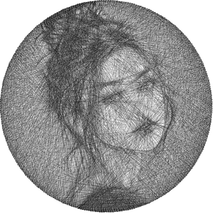
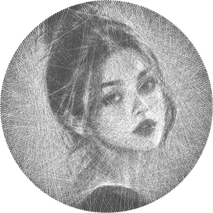
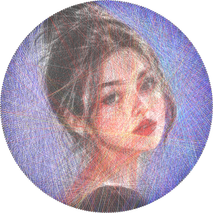
How to generate string art from a photo
- Open the workspace and select Mono, Two-Color or Color.
- Import a photo and crop the circular area you want to use.
- Choose the nail count and total number of lines, then generate the winding sequence.
- Compare candidate designs and export winding data or an 800 × 800 PNG preview.
Which string art mode should I choose?
Mono generates a single-thread design. Two-Color uses two editable thread colors, initially black and white. Color generates a multi-color portrait. Mandala is a geometric string art editor with editable layers and patterns such as rings, spirals, petals, starbursts and hearts; it does not require an uploaded photo.
Can I use the string art software without installing an app?
Yes. The design workspace runs online in a JavaScript-enabled desktop or mobile browser. Line-sequence calculation runs on your device. Optional portrait enhancement and requesting a design ID use server services.
Does the software export a winding pattern?
Photo-based designs support TXT winding sequence export and lossless PNG preview export. Nail numbering and thread changes are part of the winding data. Check the sequence format and physical board setup before using the data with a winding machine.